
Use the quotation to plan, then keep the job current.
When a confirmed quotation becomes a job, its sell charges and expected buy costs provide an operational starting point. Update your team’s view as shipment details and vendor charges become clearer. If the route, cargo, or scope changes, note what needs repricing or a supplemental bill.
Expected costs are useful for comparing the plan with vendor documents. They remain estimates, however, and do not count as actual cost or profit in Freight P&L.
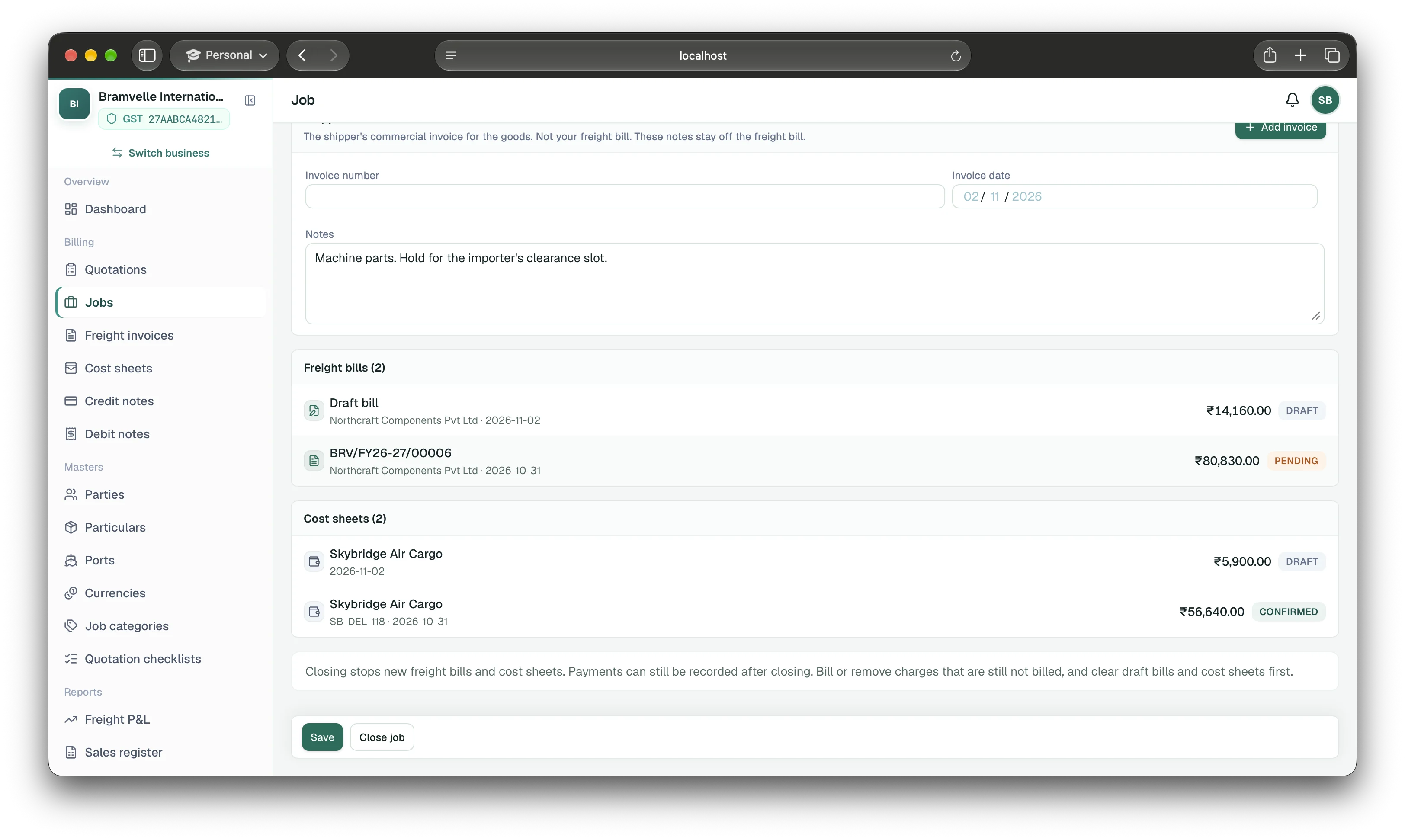
Match each cost sheet to its job and vendor document.
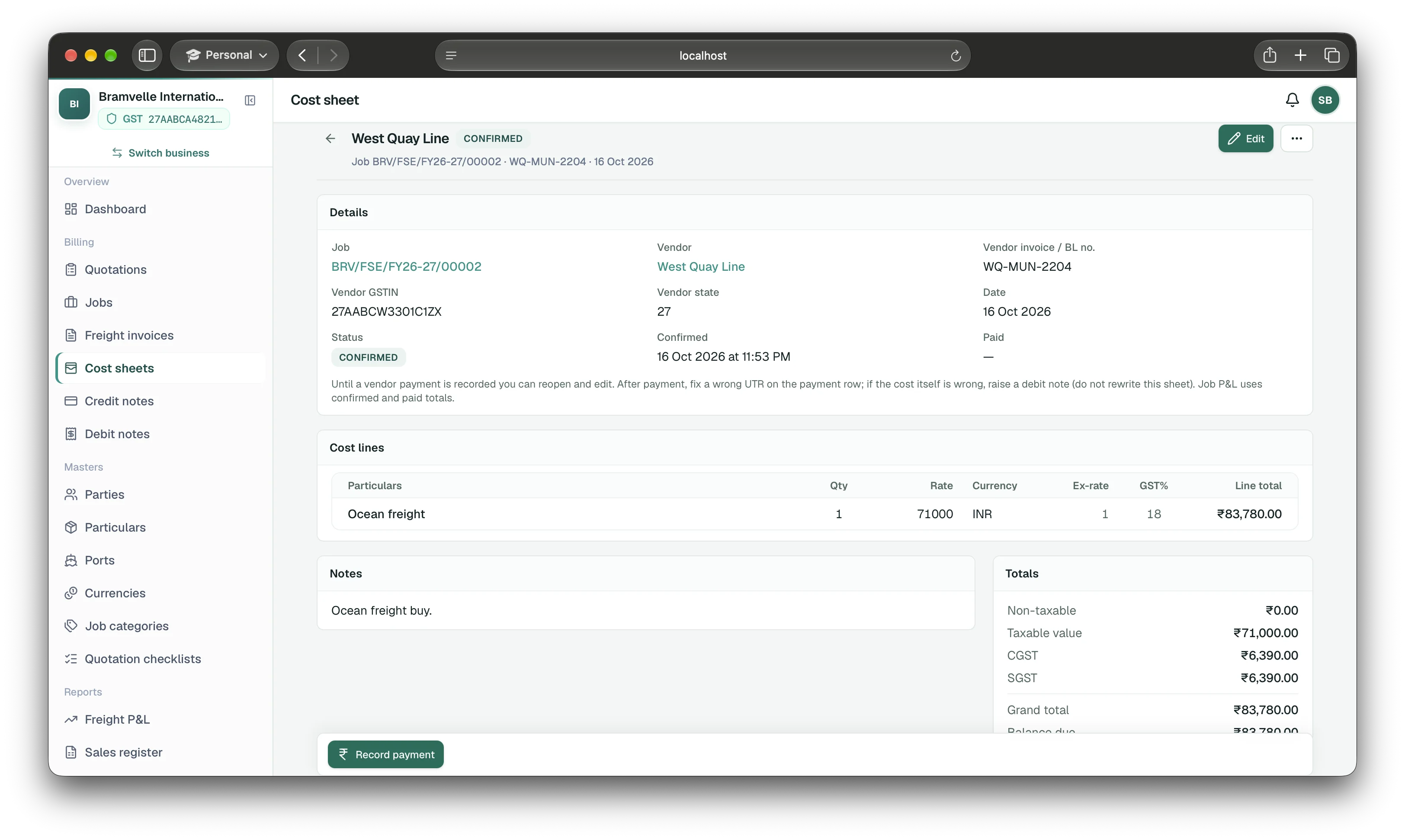
Create a vendor cost sheet against the relevant job. Enter the vendor, invoice or bill of lading reference when available, date, cost lines, currency, exchange rate, and GST details. Compare the lines with the vendor invoice before confirming the sheet.
A draft cost sheet is an estimate. Confirm it when the vendor charge is supported. Record the vendor payment against the cost sheet so the job’s cost reporting reflects a paid cost. If a confirmed vendor cost later needs a reduction, use a debit note instead of rewriting the original record.
Compare issued customer bills with actual vendor costs.
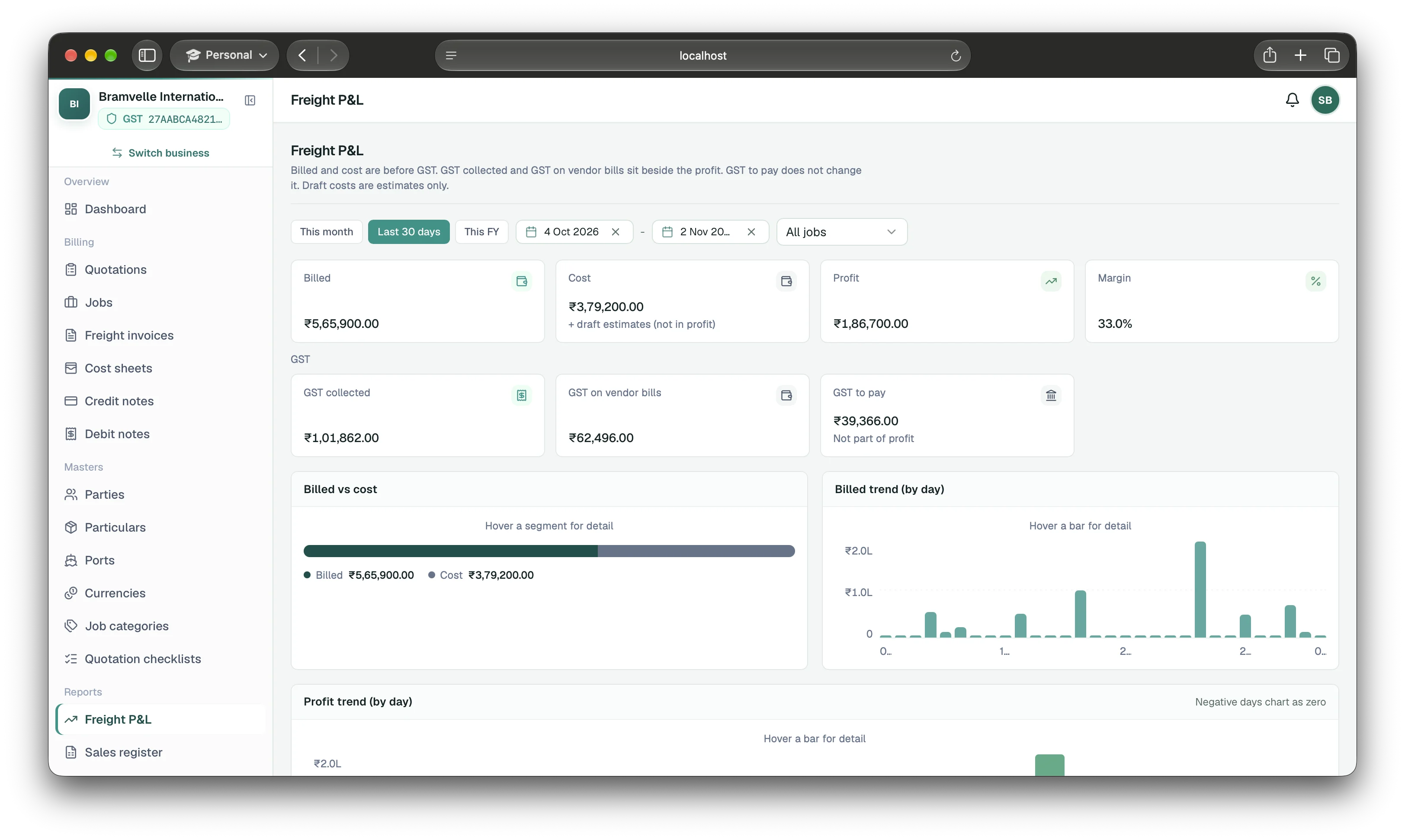
EasyHisab Freight’s dashboard and Freight P&L show billed, cost, profit, and margin before GST. Issued freight bills and issued credit notes determine billed revenue; confirmed and paid cost sheets and vendor debit notes determine cost. Draft bills and draft costs are estimates and are shown separately from actual profit. GST collected and GST on vendor bills appear alongside profit because GST is not part of it.
Use the job view to inspect an individual shipment. Use Freight P&L to compare jobs across a chosen period and review billed and cost trends.
A practical month-end review
- Check open jobs for unbilled customer charges.
- Match vendor invoices to cost sheets and confirm supported amounts.
- Record vendor payments and apply debit notes when a cost is reduced.
- Review job profit and margin before GST; investigate material estimate-to-actual changes.