
The job
Keep shipper, consignee, and customer with the job. Sea and air keep the vessel or flight and the house and master bills. A road job keeps pickup, drop, vehicle number, and the consignment note.
Manage freight jobs, customer invoices and vendor costs from your computer. See what’s been billed, what’s still owed, and what each job earns.
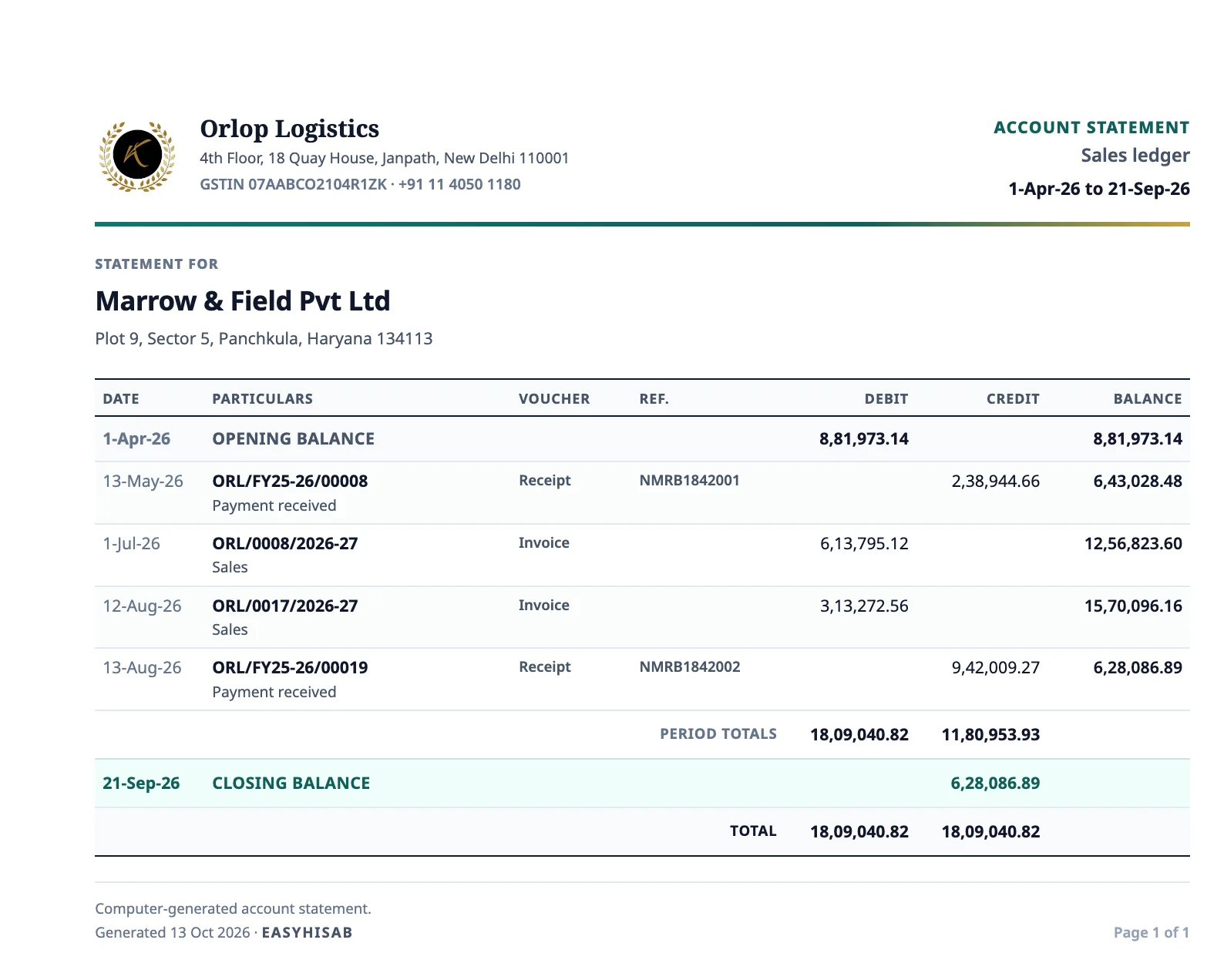
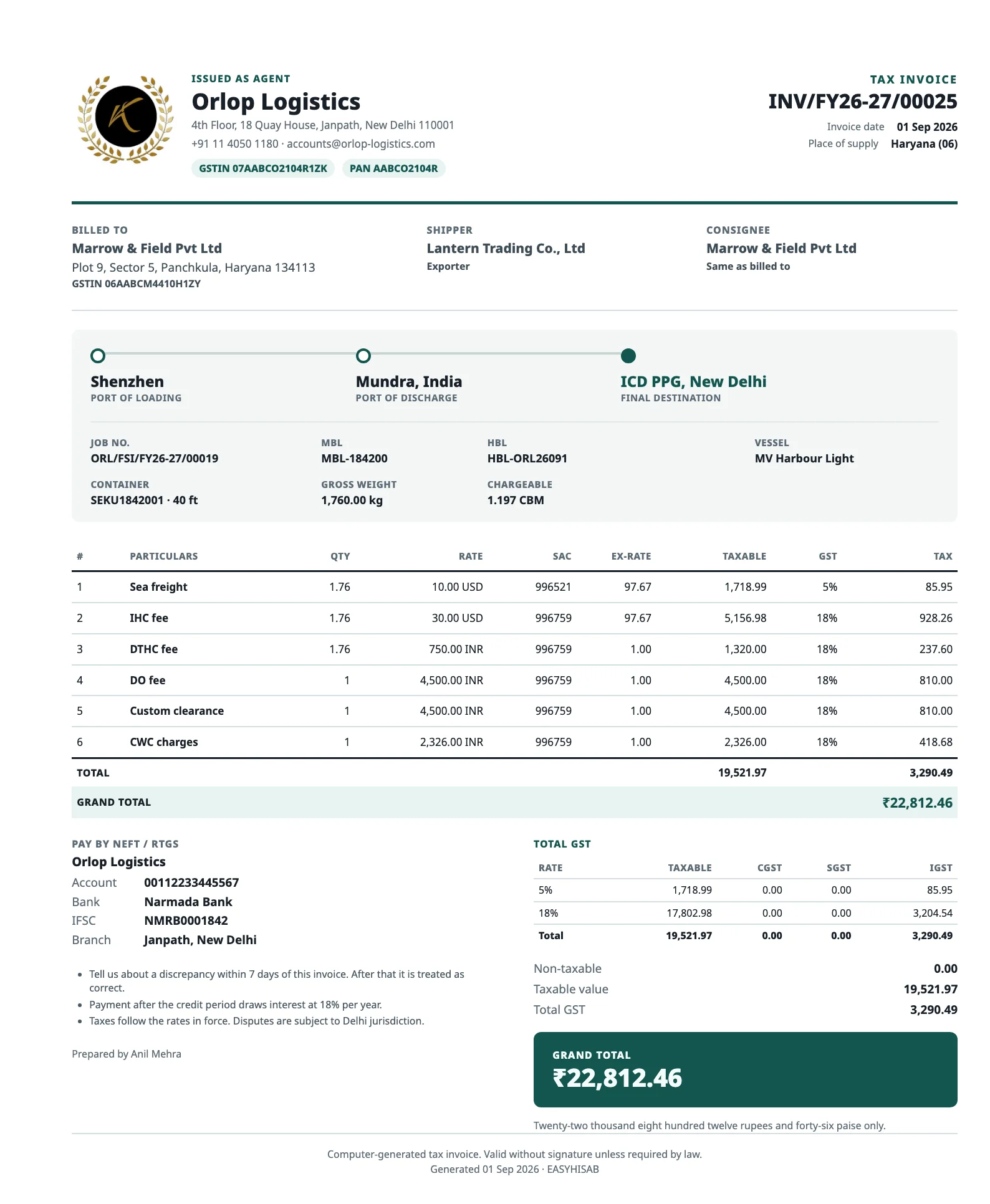
See the shipment details, customer invoice, and vendor costs together on each sea, air, or road job.
Keep shipper, consignee, and customer with the job. Sea and air keep the vessel or flight and the house and master bills. A road job keeps pickup, drop, vehicle number, and the consignment note.
Create a GST freight invoice from the job. Once issued, it stays unchanged; use a credit note to make a correction. GST is calculated from the state codes.
Record vendor charges in a cost sheet on the same job. If a cost changes, add a debit note. GST isn’t added to the cost sheet.
Track customer balances in the sales ledger and vendor balances in the purchase ledger. EasyHisab also calculates each job’s profit.
Download the sales register for the dates you choose, or the GST sales summary for one tax month. Taxable and non-taxable stay separate. Job profit is a different report.
Try one freight business free for 15 days. Sign in with Google and choose Freight / Logistics. Invite your team and choose what they can access.
Or pay ₹9,999 a year.
Try the web portal free for 15 days with one freight business.