
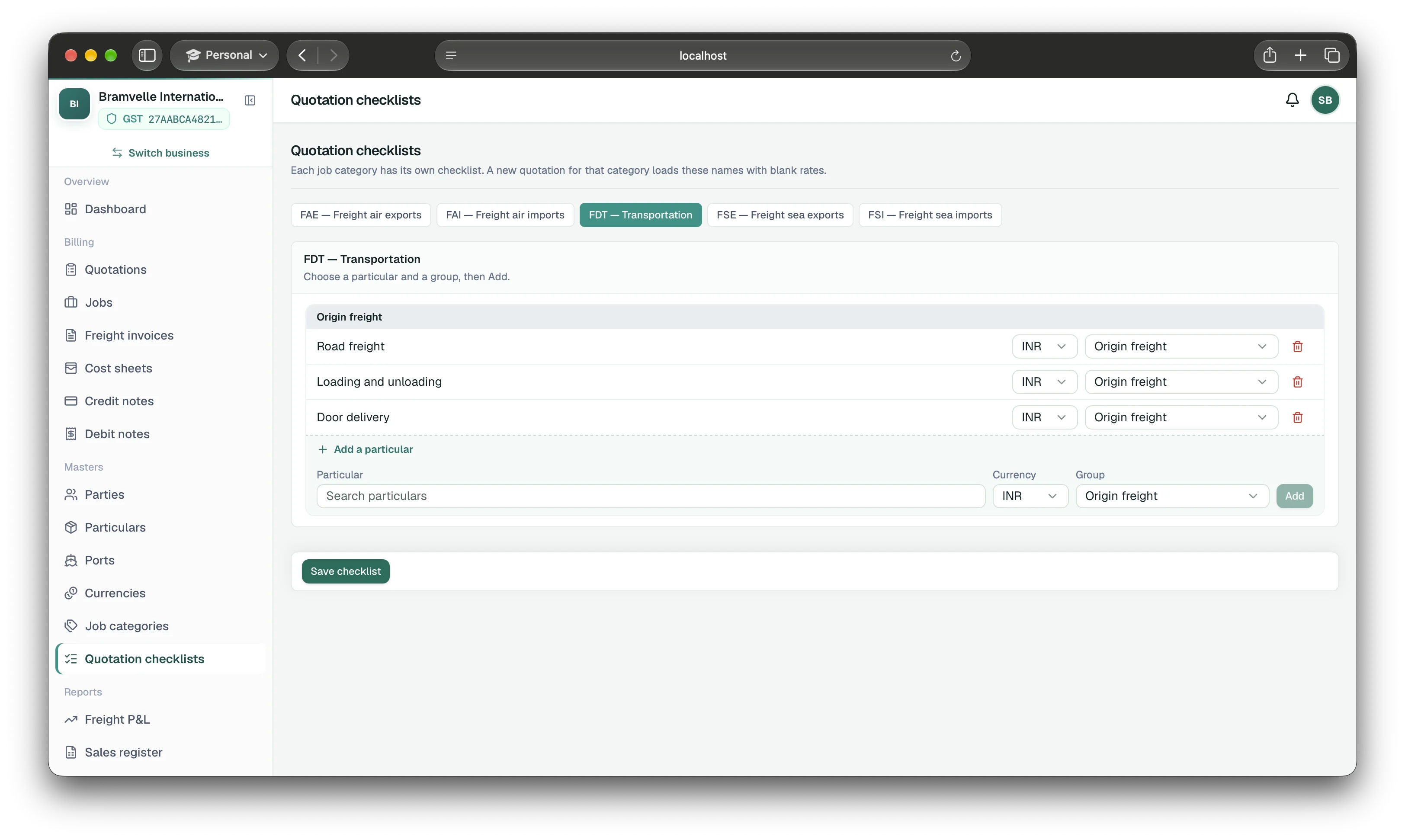
01 · QUOTATION CHECKLISTS
Start with your usual charges
Owners set up sea, air, and road lists once. Add your own charges; every matching new quote opens ready to price.
Start with a freight quotation, carry the confirmed offer into a sea, air, or road job, then manage the customer invoice and vendor costs through to job profit.
Choose a part of the freight desk to see how it works. The same shipment details carry through the quote, job, bill, and cost.
Check selling charges, expected costs, and margin before sending.
Explore quotations 02Save charge checklists, terms, revisions, and email routing.
Explore quote setup 03Keep routes, cargo, parties, and transport documents together.
Explore shipment jobs 04Create a freight invoice from the job and correct it with a credit note.
Explore customer billing 05Record cost sheets, payments, currencies, and debit notes.
Explore vendor costs 06See what customers owe, what you owe vendors, and what each job earned.
Explore financial features 07Invite staff, set permissions, and add an invoice review step.
Explore team featuresCapture the shipment, price the offer, check your expected margin, and carry the confirmed quote into a job.
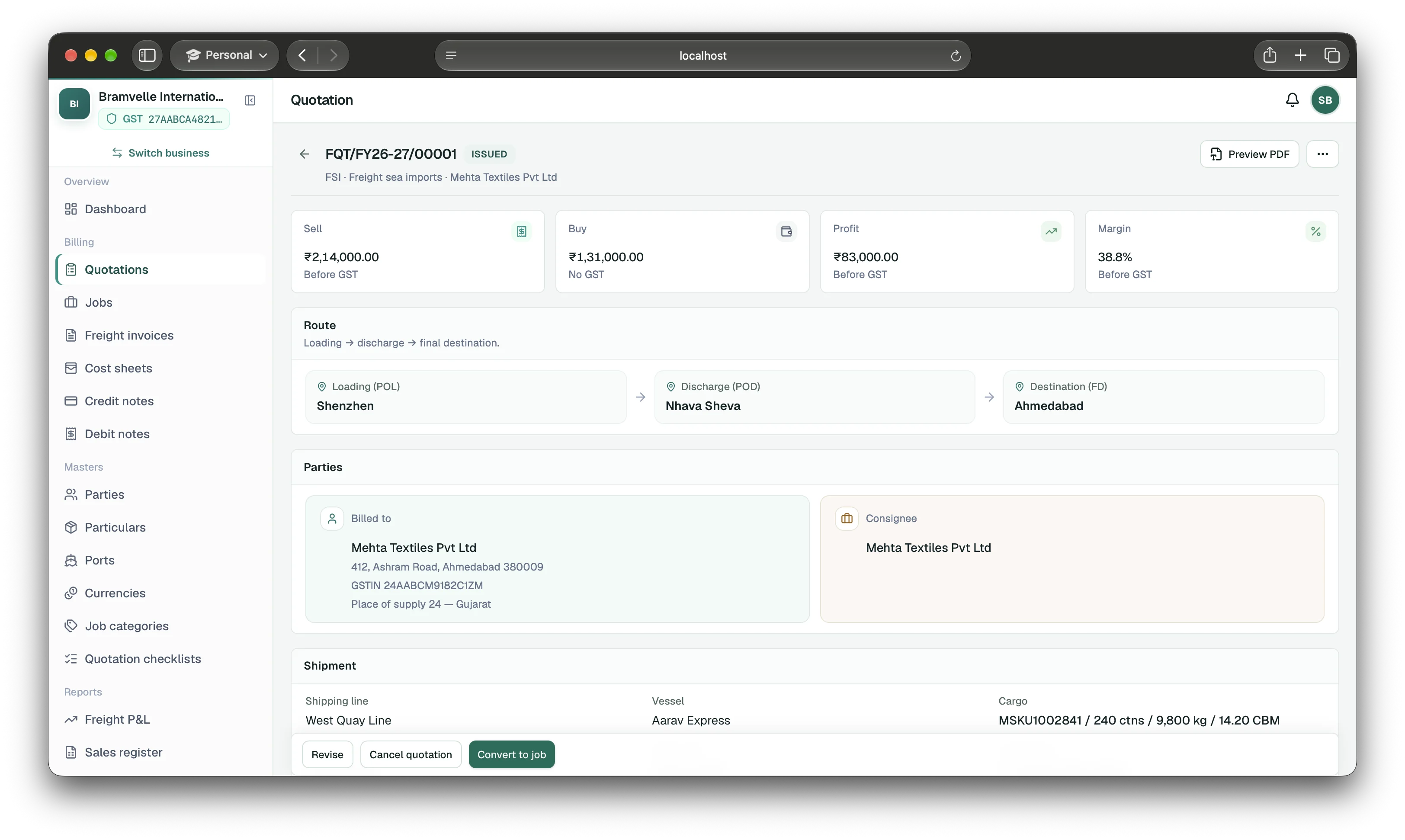
Set the standard once. Each new offer starts with the structure and routing your desk needs.
Owners set up sea, air, and road lists once. Add your own charges; every matching new quote opens ready to price.
Save standard terms once, then edit the copy on any individual quotation.
Issue a revised quote with a new number while keeping the previous version on record.
Save a business Reply-To and up to five team CC addresses. EasyHisab sends the PDF; customer replies reach your business.
Keep sea and air transport details, arrival and departure dates, and shipper invoice references with the job, or the pickup, drop, vehicle, and consignment note on a road job.
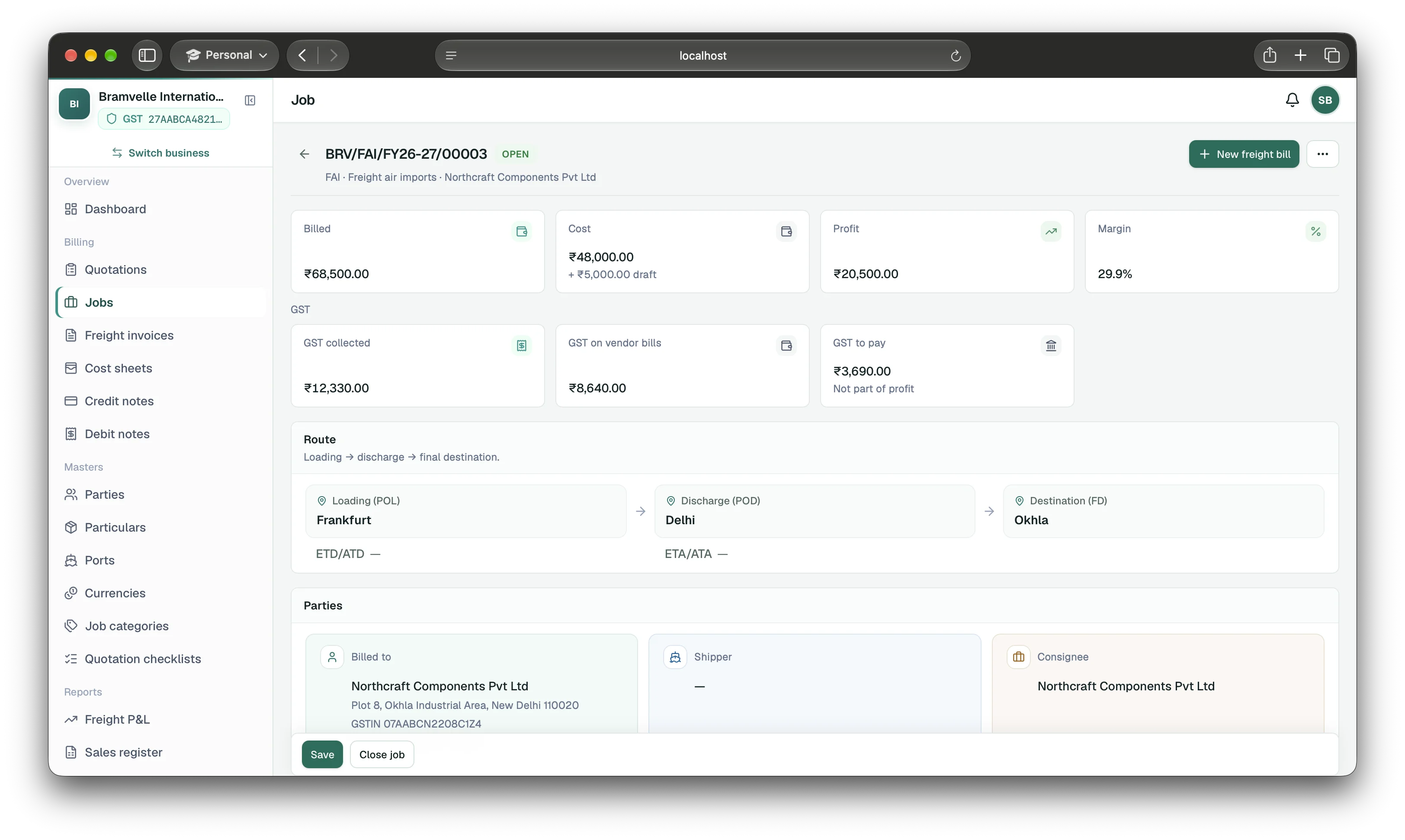
Manage sea and air imports or exports. Store HBL/MBL for sea and HAWB/MAWB for air, carrier and vessel details, and ETD/ATD and ETA/ATA dates. Record shipper commercial invoice numbers and dates separately from your freight bill.
Record the pickup, optional loading, and drop, plus the vehicle number and consignment note. The customer bill still comes from the job.
Keep customer, shipper, consignee, ports, carrier, cargo, packages and weight together for the job and bill.
Start with sea, air, and road, then add owner-managed categories for the way your team organizes jobs.
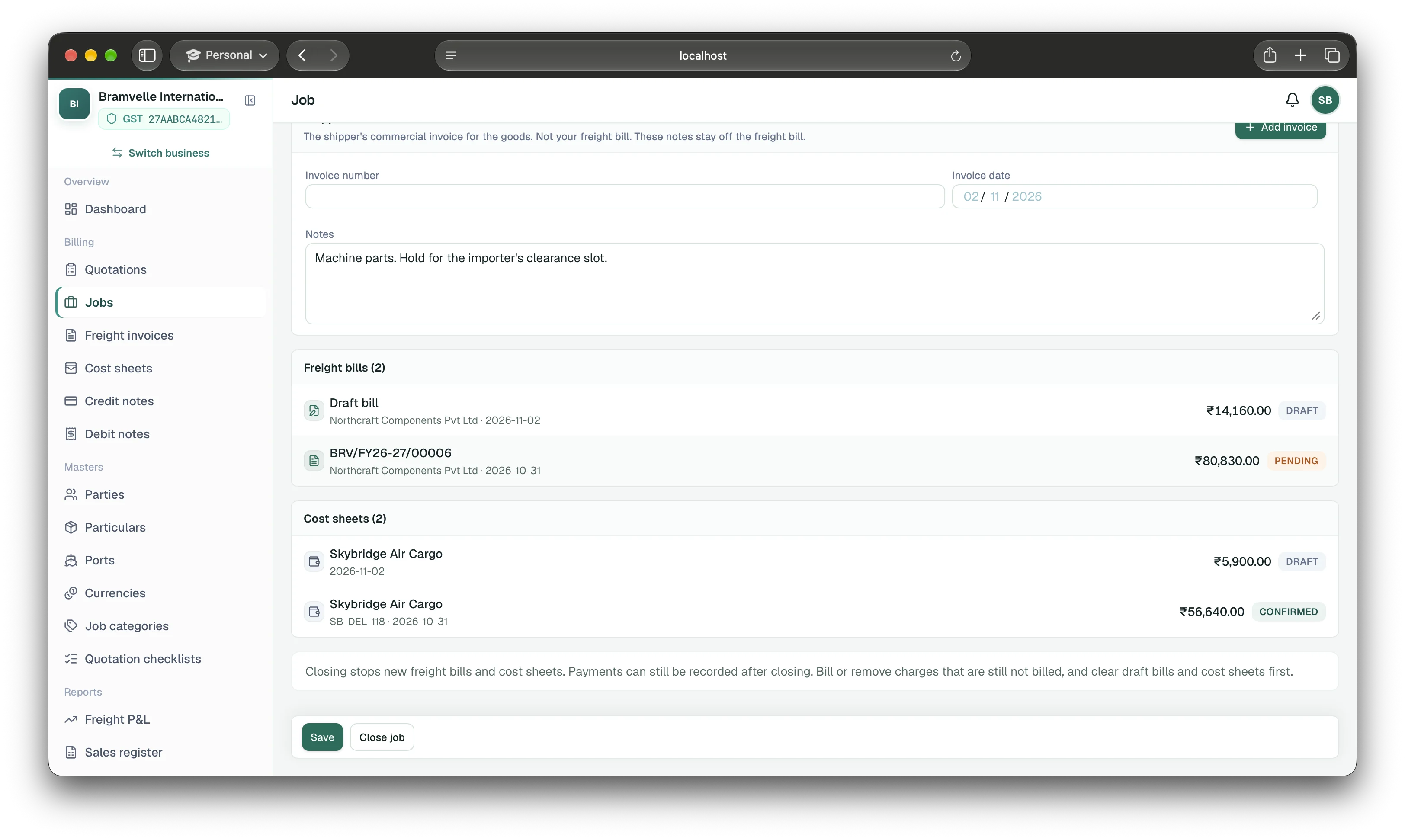
Open a job to review its freight bills, vendor cost sheets, drafts and payment statuses. Confirmed costs feed the job’s profit; drafts remain estimates.
For enabled sea and air import jobs, EasyHisab can send a one-time email requesting the Bill of Entry number when the job’s ETD/ATD date is due. This is an email request, not customs filing.
Create a GST freight invoice using the details already on the job. Once issued, it can’t be edited; use a credit note to make a correction.
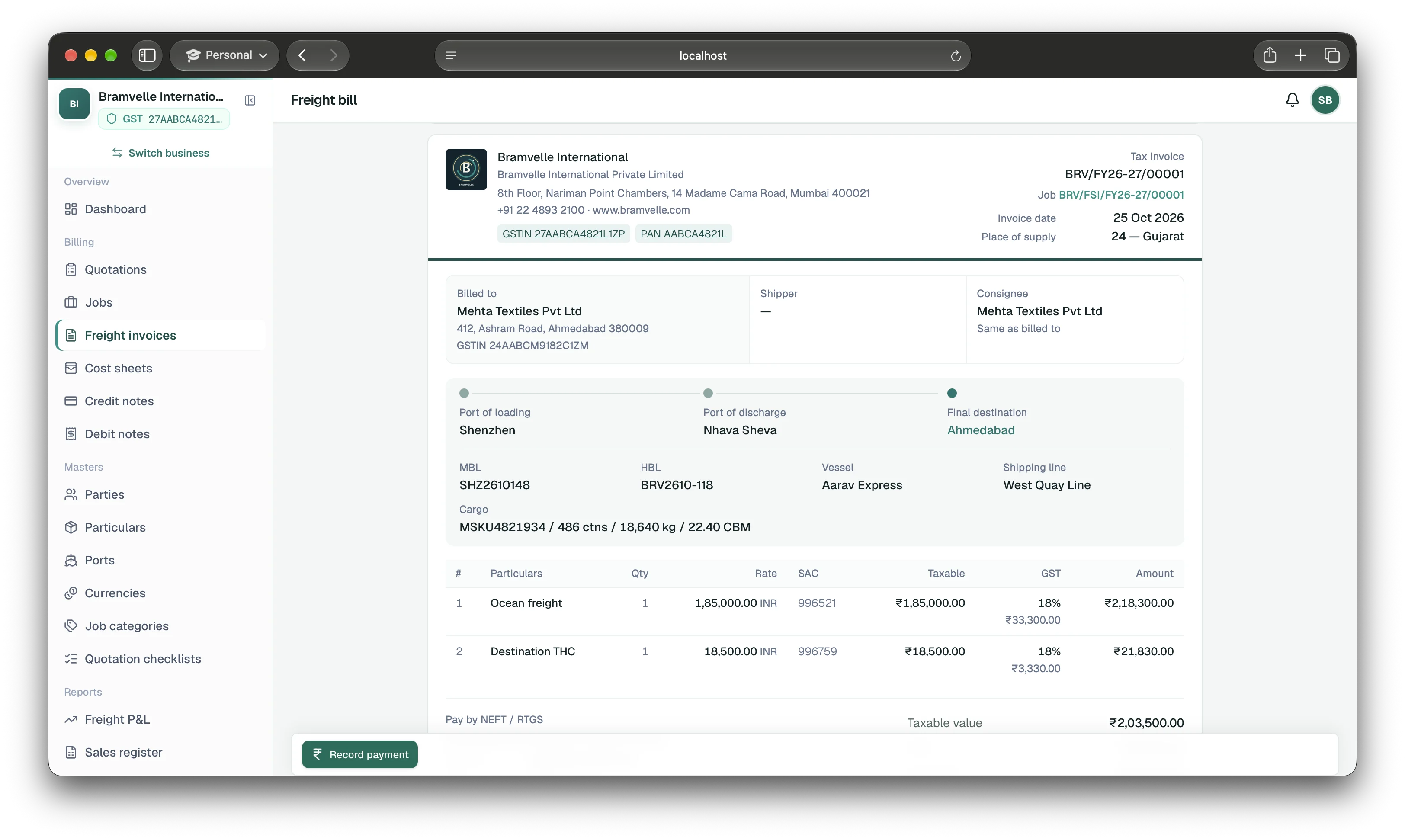
Prepare a GST freight invoice from shipment details, then email the issued PDF to your customer with your business Reply-To and team CC. Turn on team approval when you want a review before issue; issued bills stay unchanged.
Issue a full or partial freight credit note against an issued bill. The adjustment appears in the sales ledger.
Add what you pay the shipping line and other vendors to the same job. If a cost changes, record it with a debit note.
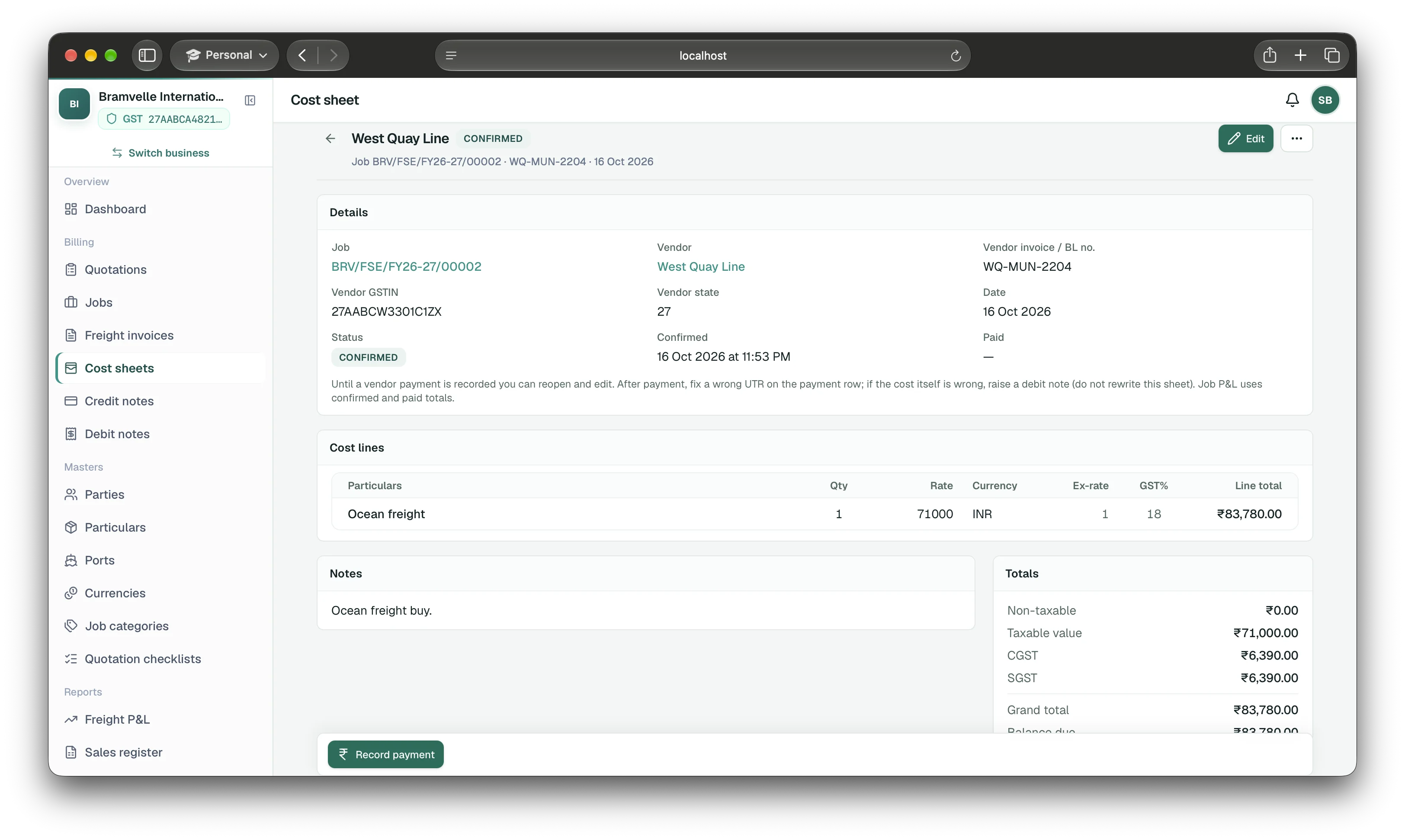
Record shipping line, terminal, agent, and other vendor costs against the job. Supported currencies convert to INR using the exchange rate.
Record a debit note against a vendor cost sheet. It updates what you owe without changing the customer’s invoice.
Track customer invoices in the sales ledger and vendor costs in the purchase ledger. Job profit is for the desk. The sales register and GST sales summary are for your CA, and they are not a GST portal upload. EasyHisab doesn’t file GST returns.
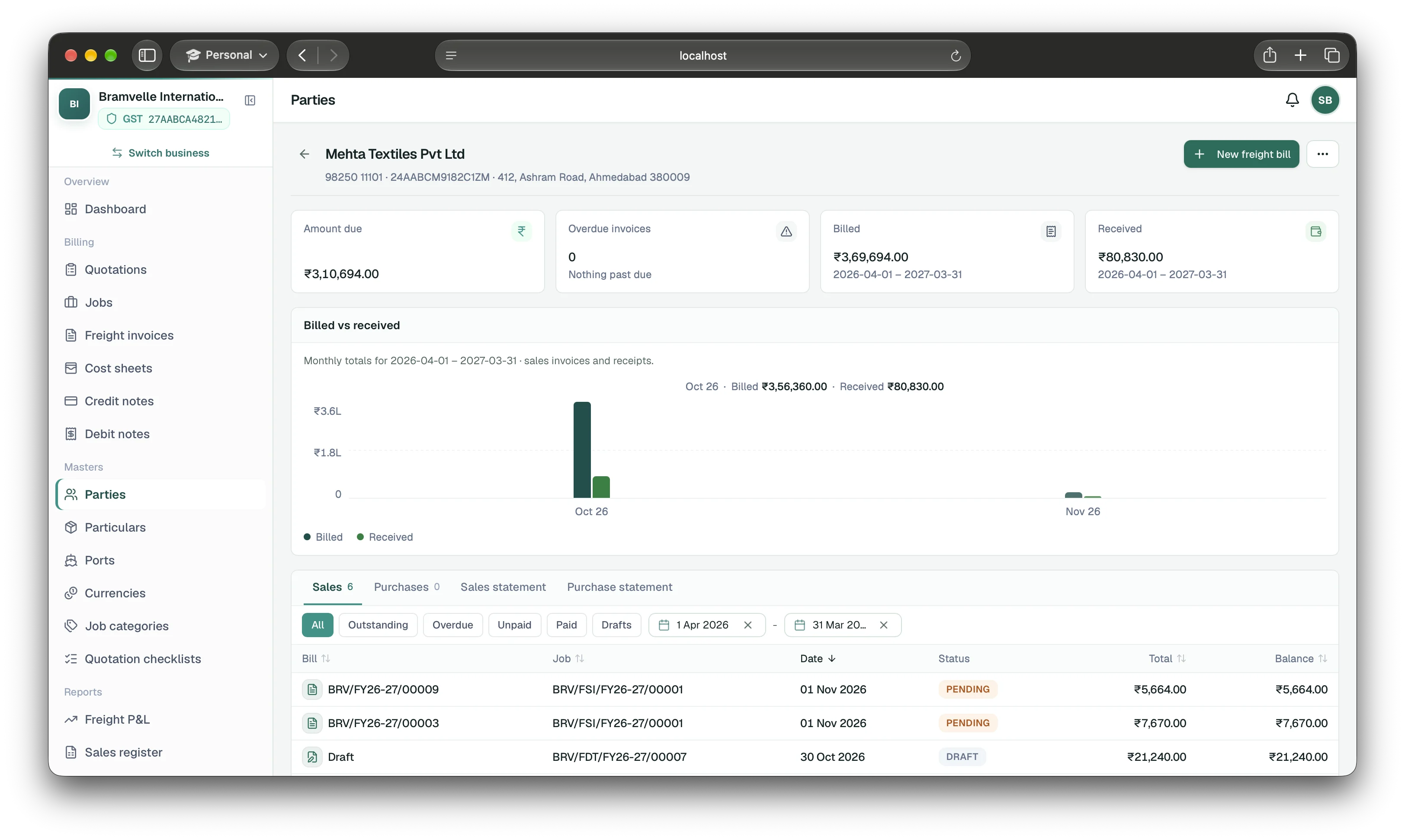
Follow freight invoices, payments, credit notes, and what remains unpaid for each customer.
Follow cost sheets, vendor payments, debit notes, and the remaining balance for each vendor.
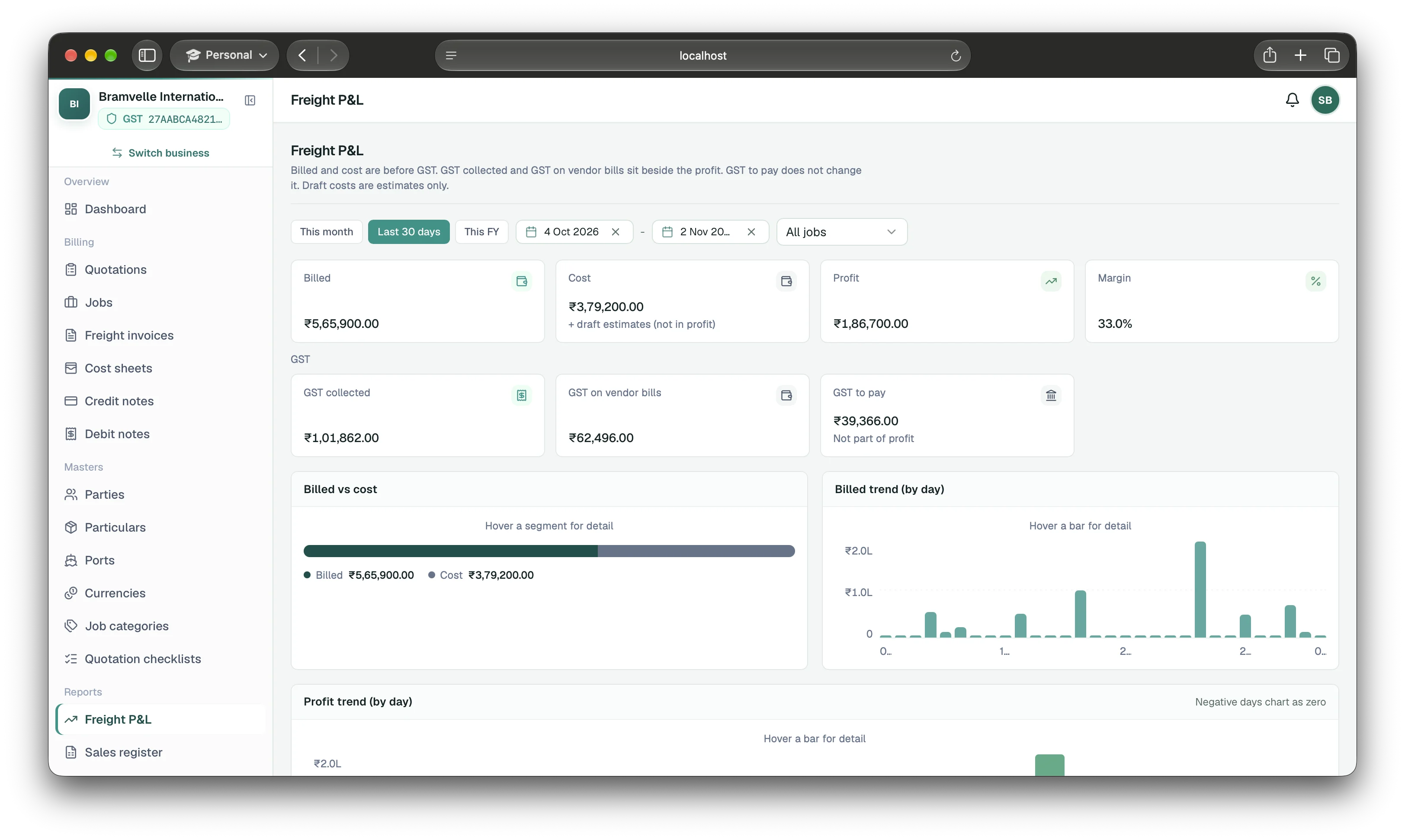
See job profit from issued bills, credit notes, confirmed costs, and debit notes. Check one job or a date range.
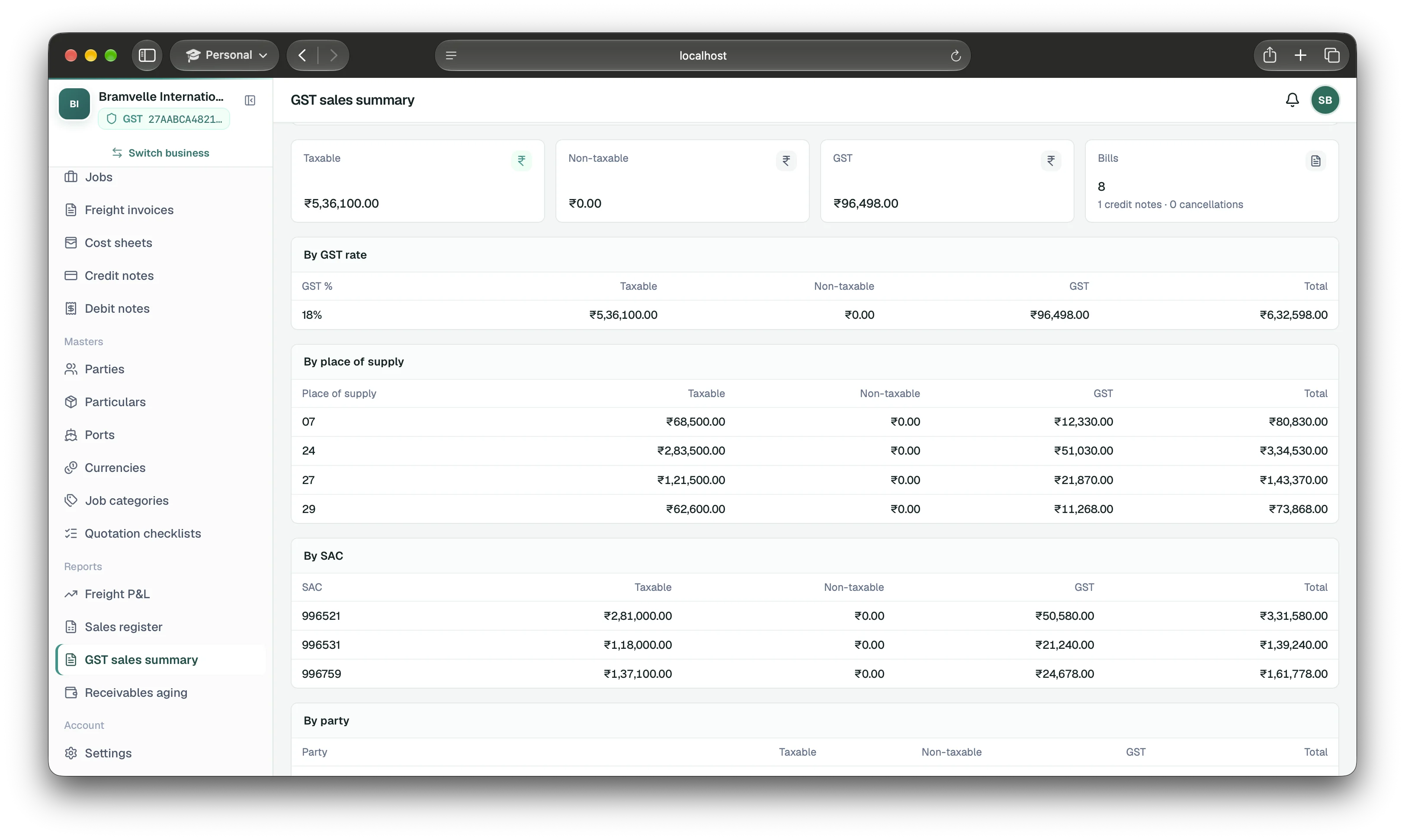
The sales register lists each freight bill and credit note for the dates you choose. The GST sales summary is one tax month, with taxable and non-taxable kept apart. A later cancellation stays in the month you cancelled it. Job profit is a separate view.
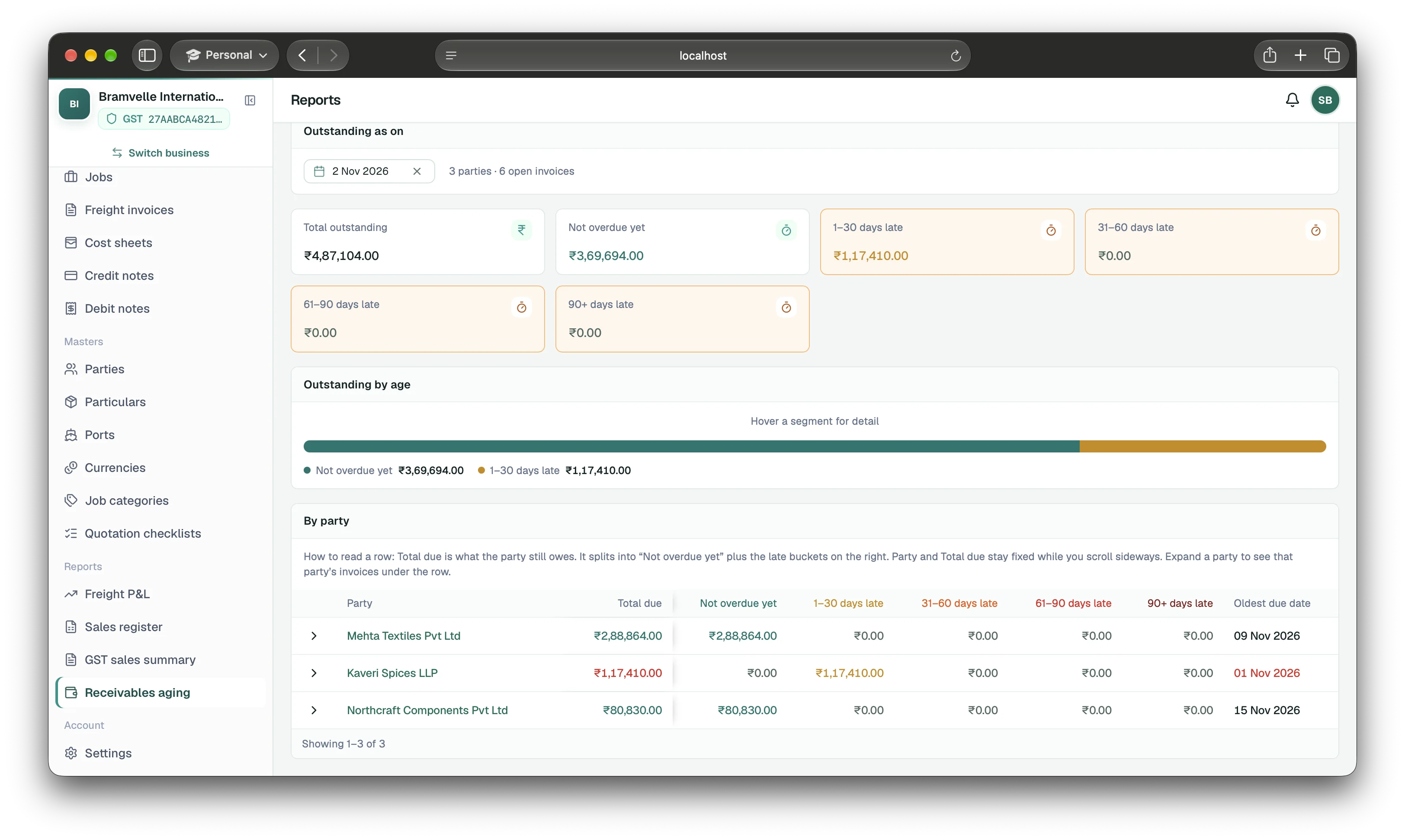
Group outstanding invoices by how long they are overdue, then expand a customer to review the invoices behind the total.
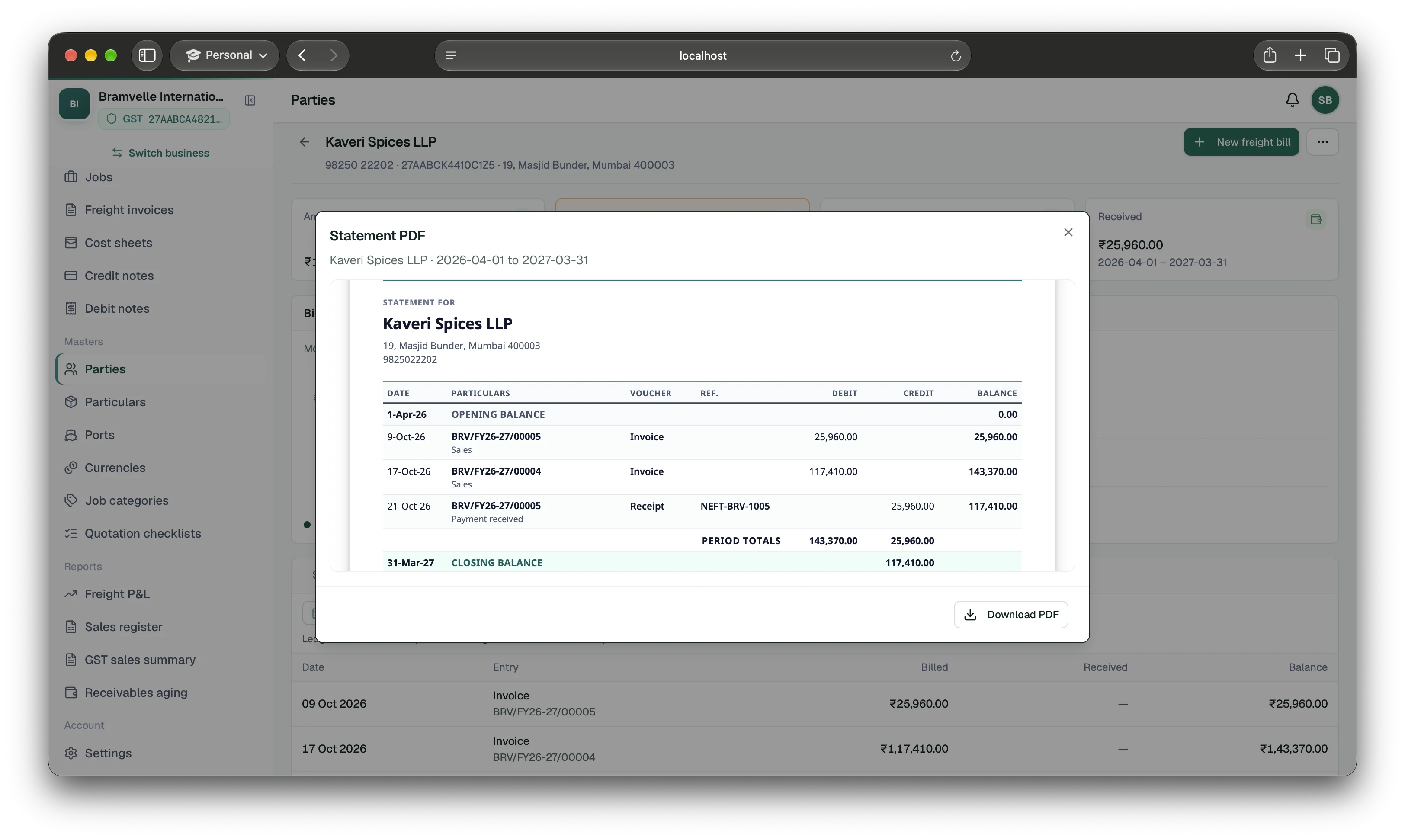
Generate a customer statement for a selected period, with invoices, receipts, debit and credit totals, and the closing balance.
On a paid plan, invite up to five staff by email. They can view jobs and bills until you give them more access.
Send an invite to their email. They sign in with Google to join your business.
New team members can view jobs and bills. Choose their access before they make changes.
A Clerk can prepare jobs and draft bills. An Approver can review them. Full desk access also allows issuing bills, recording payments, and closing jobs. You can also choose permissions one by one.
Without review, you can issue a draft and give it a bill number right away. Turn review on when you want a team member to check it first.
You open the sea, air, or road job once. The bill lives on that job.
Open jobs, customer invoices, vendor costs, and both ledgers at app.easyhisab.in. Explore the web portal.
Try the full product free for 15 days. Sign in with Google and choose Freight / Logistics.