
Aging is about the amount still due.
The receivables aging report focuses on open customer invoices as of a chosen date. It accounts for recorded payments, advances, and issued credit notes when calculating each invoice’s remaining balance. Paid invoices are not part of the open aging total.
That makes aging useful for collection review, but it is not a full customer history. Open a customer statement or ledger when you need to review paid invoices and the wider sequence of transactions.
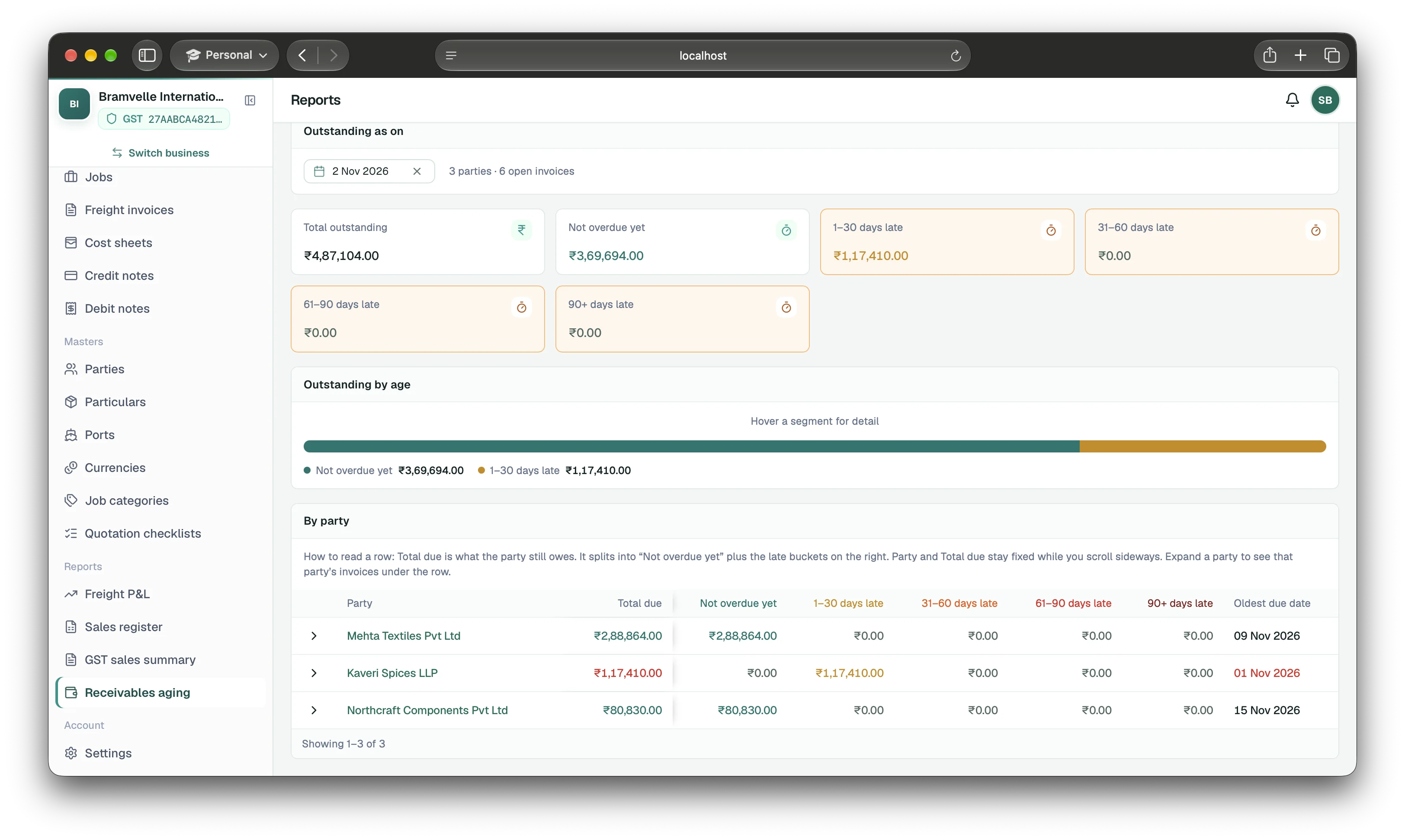
Separate not-yet-due balances from overdue ones.
The report splits open amounts into “Not overdue yet,” 1–30 days late, 31–60 days late, 61–90 days late, and 90+ days late. Use the bucket totals to prioritise review, then expand a party to see the invoices contributing to its balance.
Overdue status depends on an invoice due date. If a bill has no due date, it is not automatically treated as overdue. Confirm the due date on the invoice before interpreting its bucket, especially if your payment terms vary by customer.
Check the invoice and account record together.
- Confirm the invoice is issued and still has an open balance.
- Check its due date and the report’s “as of” date.
- Match receipts and advances to the right customer and invoice.
- Check whether an issued credit note changes the amount due.
- Open the customer statement to review transaction history and balance.
This helps avoid chasing a customer for a payment that is already recorded or overlooking an adjustment that changed the amount due.
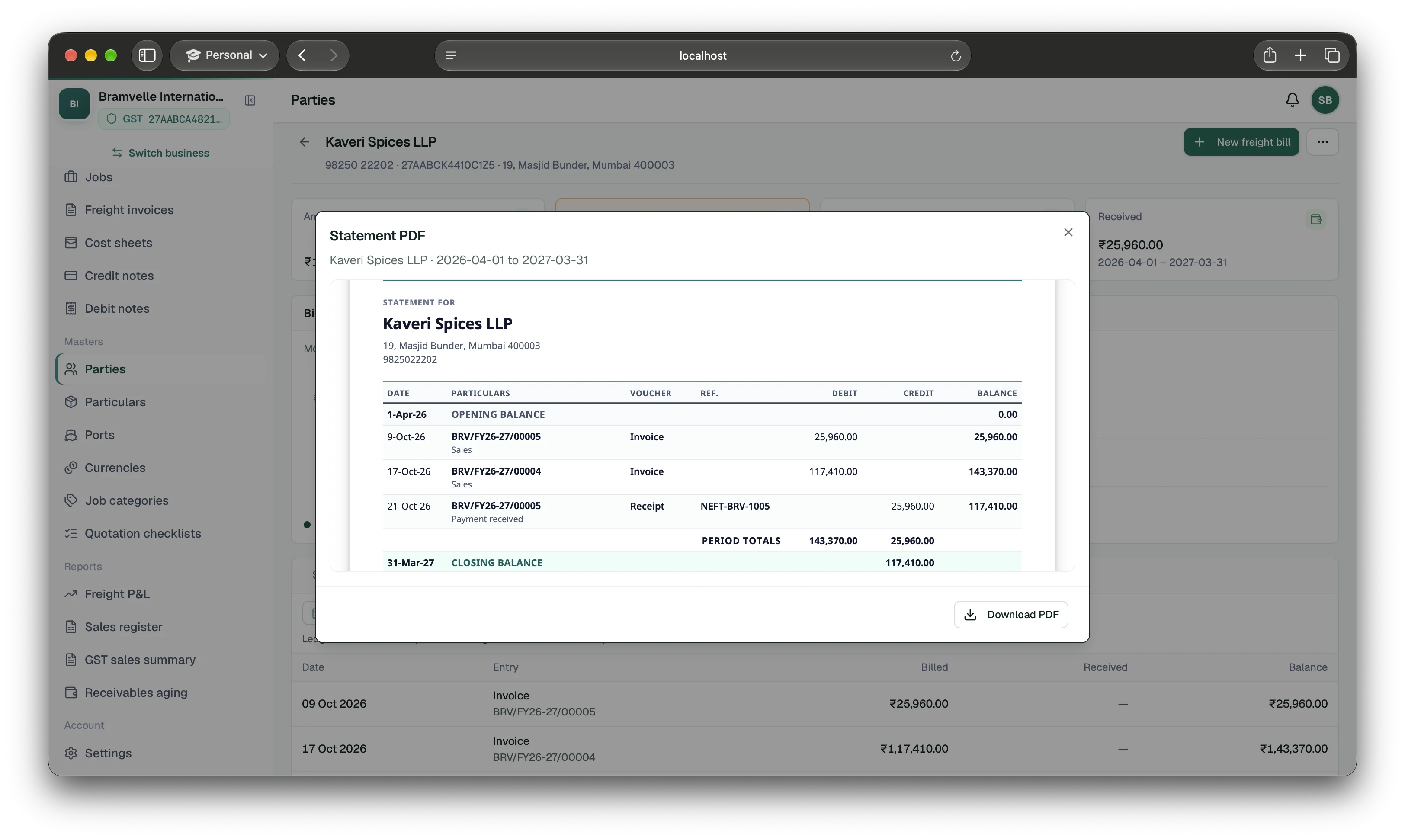
Turn the report into a collections routine
Review aging on a regular schedule, then open the largest or oldest balances first. Assign a teammate to verify the underlying invoice, due date, and receipt history before contacting the customer. Record payments promptly so later aging reviews use the current balance.
EasyHisab Freight helps you identify and investigate balances; it does not automatically send customer payment reminders.
Explore receivables and customer statements